Marketplace - Installed Apps Page – Enhanced Experience

Modified on Wed, 6 May at 3:45 AM

Overview:
We’ve upgraded the Installed Apps page with improved filtering, clearer views, and faster actions across both platform-level and your account levels—making it much easier to manage apps at scale. For the platform, we have divided the section into two: platform apps and your account apps.


What’s New

Platform View

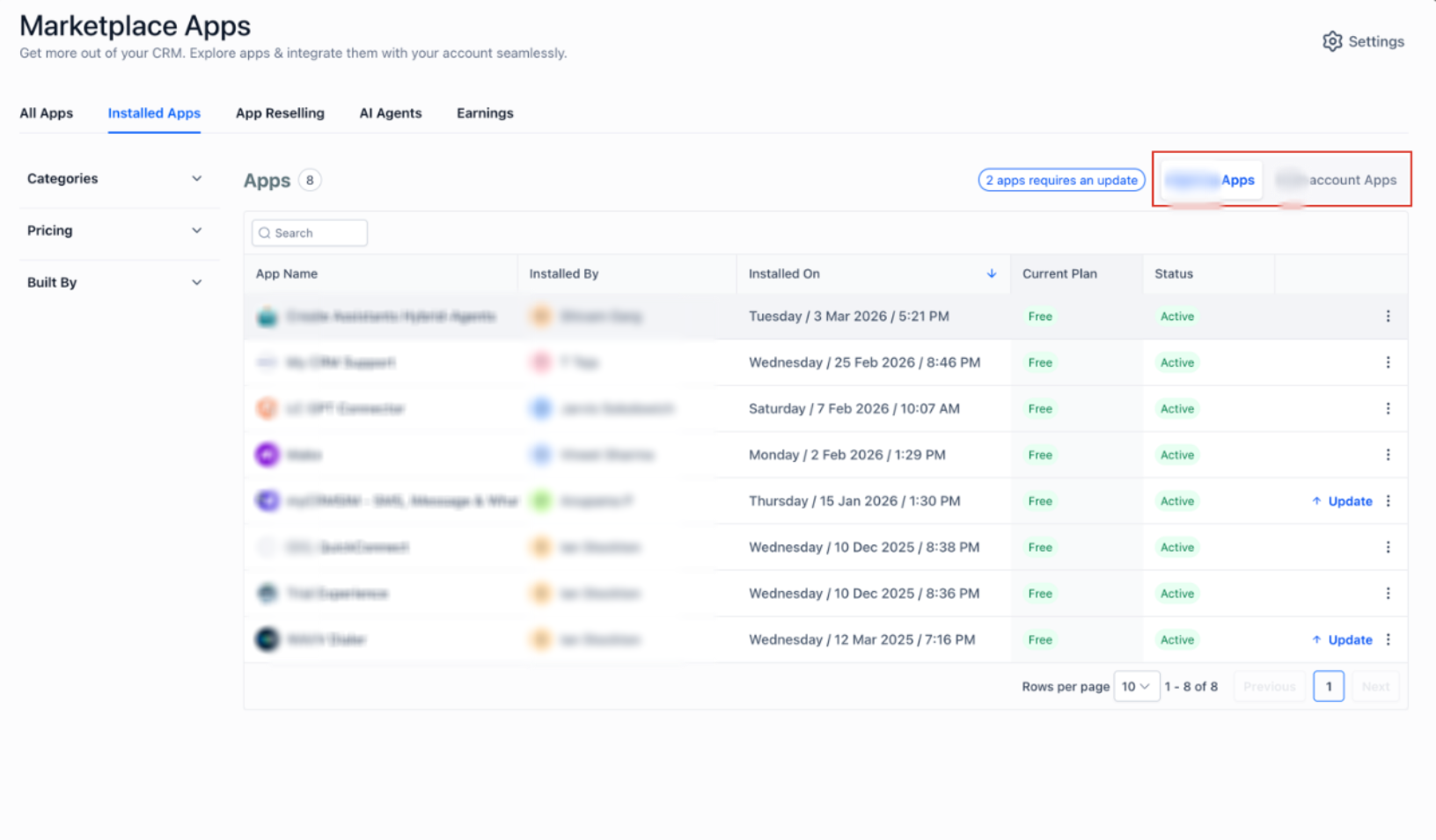
  1. Platform Apps
    The Installed Apps section is now split into platform and your account views.
    In the platform view, you can:
  • See all apps installed for platform-level use cases
  • View connection status and current plan
  • Easily edit plans directly from the list
  • Use quick chip-based filters to identify: Apps with updates available, Payment failures and Broken connections
    Preview:
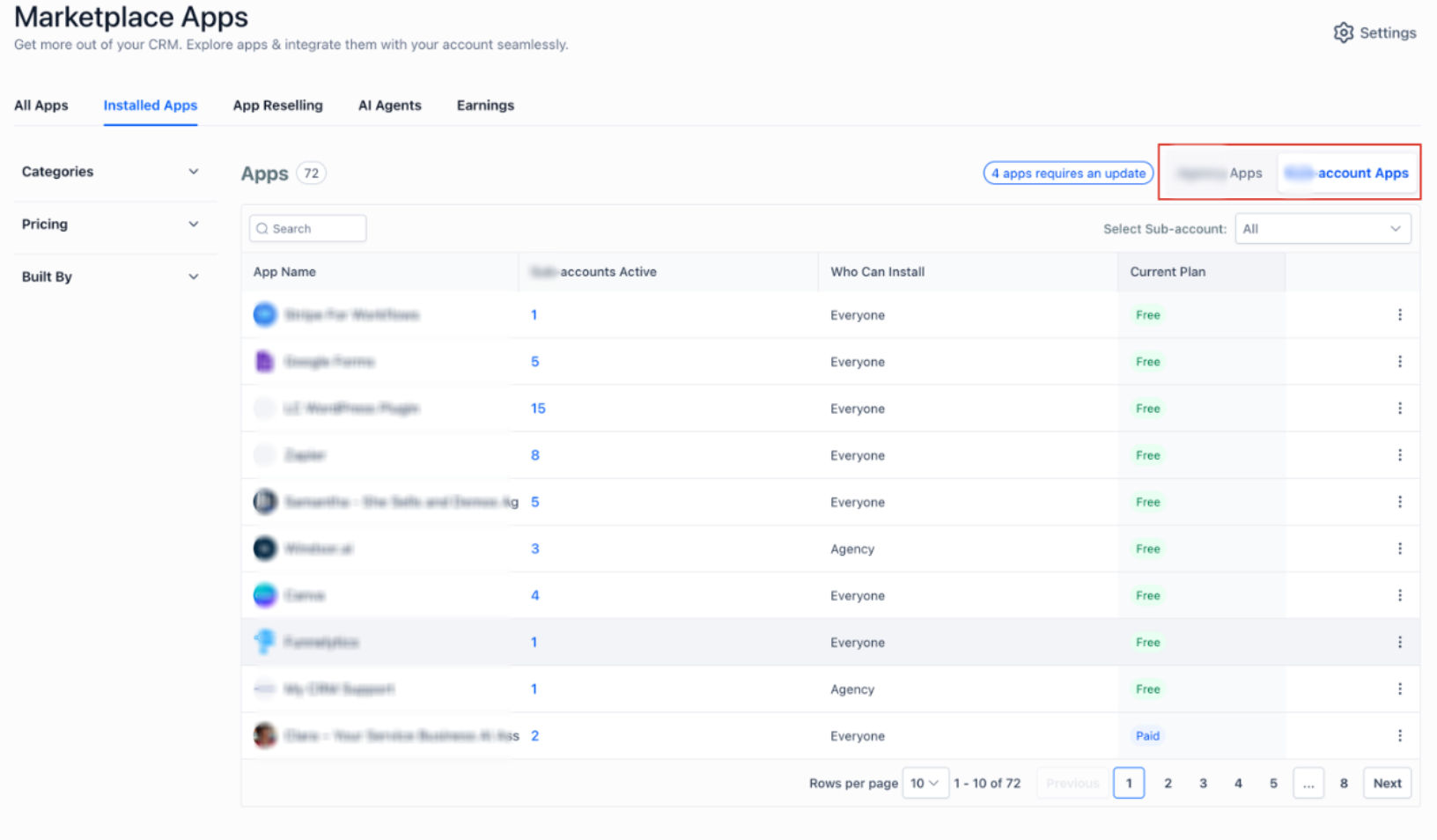
  1. Your Account Apps (from Platform)
    You can now view all apps installed across your accounts in one place.
    You can:
  • See all your account-level app installations
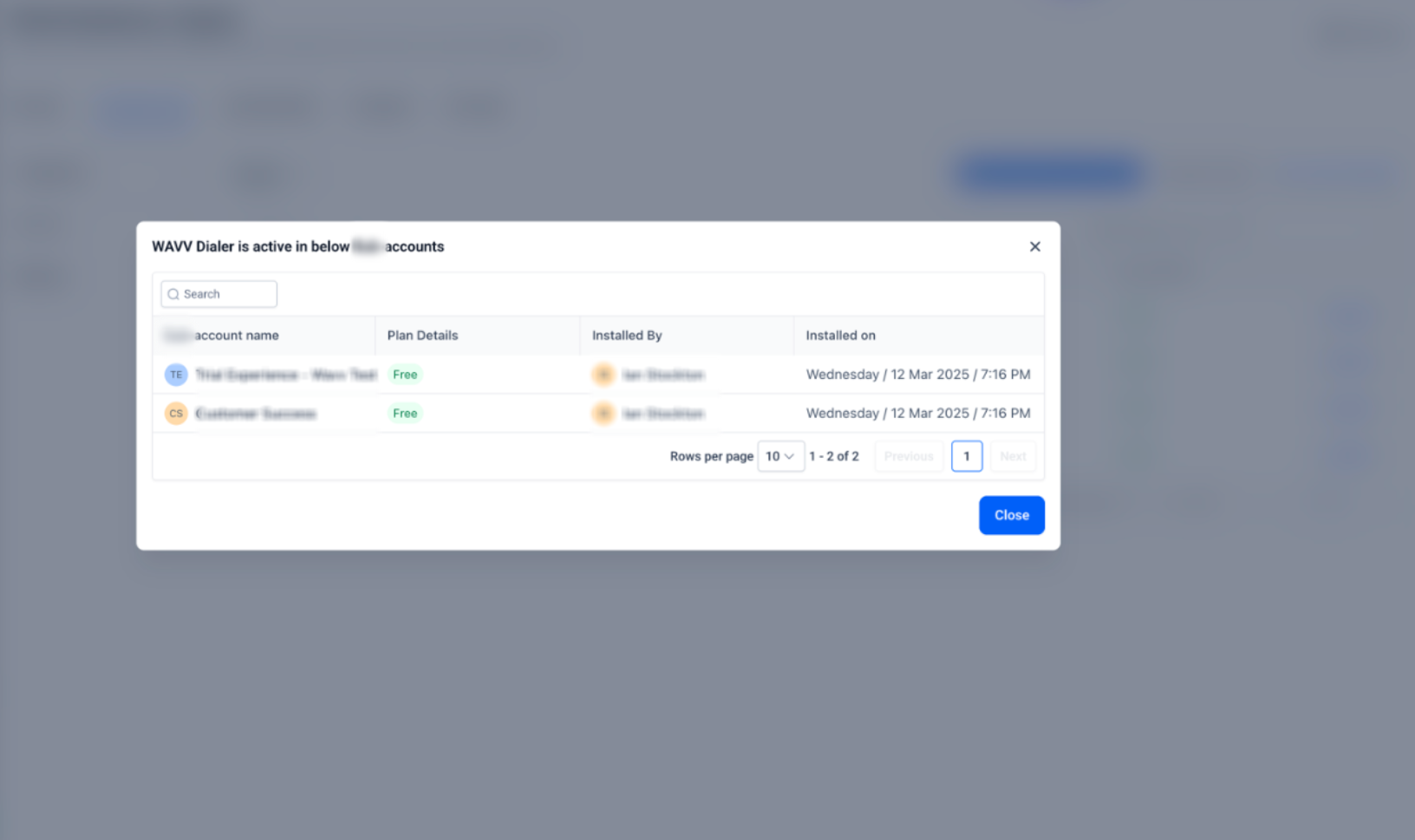
  • Click on the account count to view where the app is installed
  • Drill down into specific accounts for more details
    Preview:

Your Account View
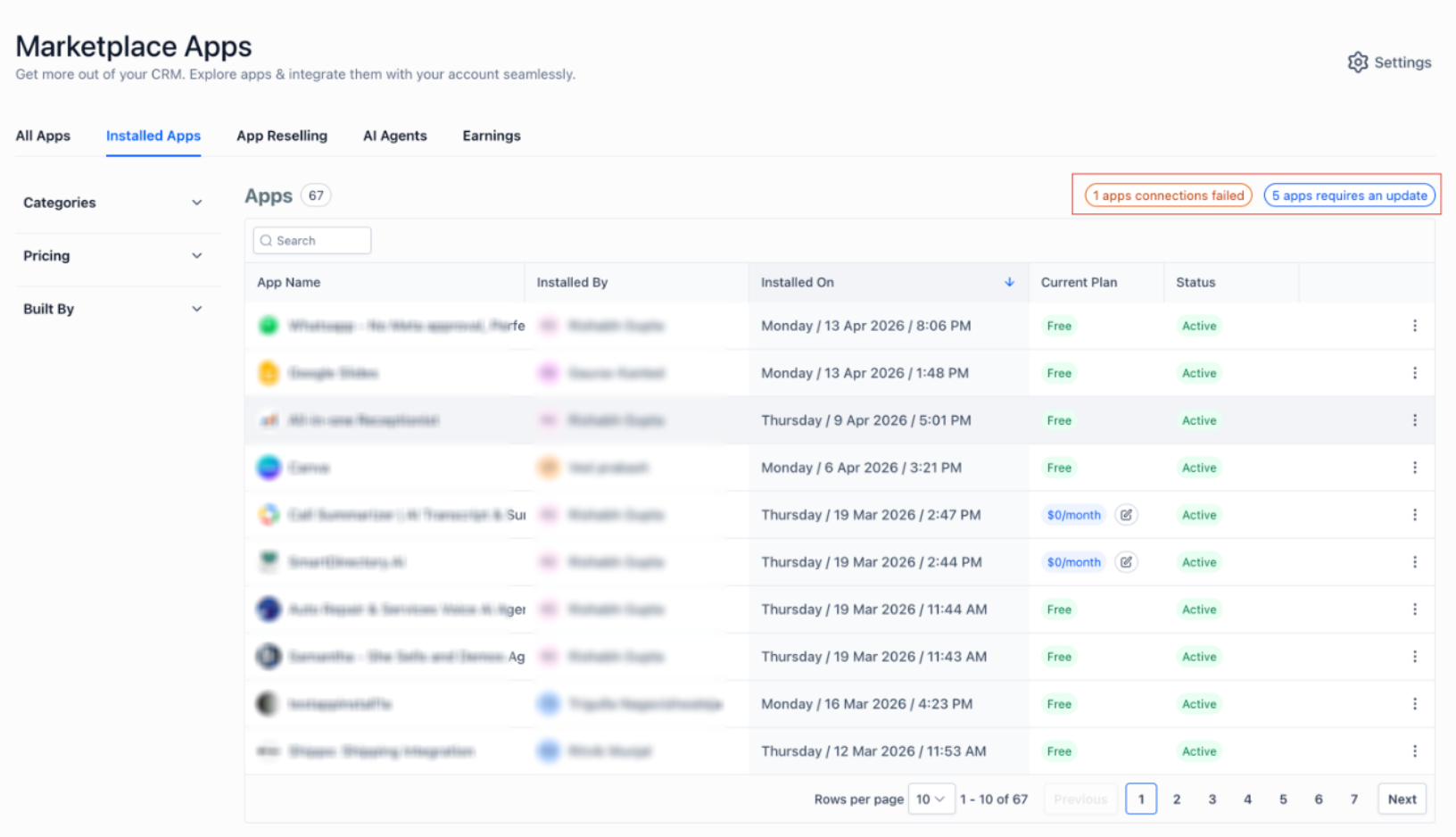
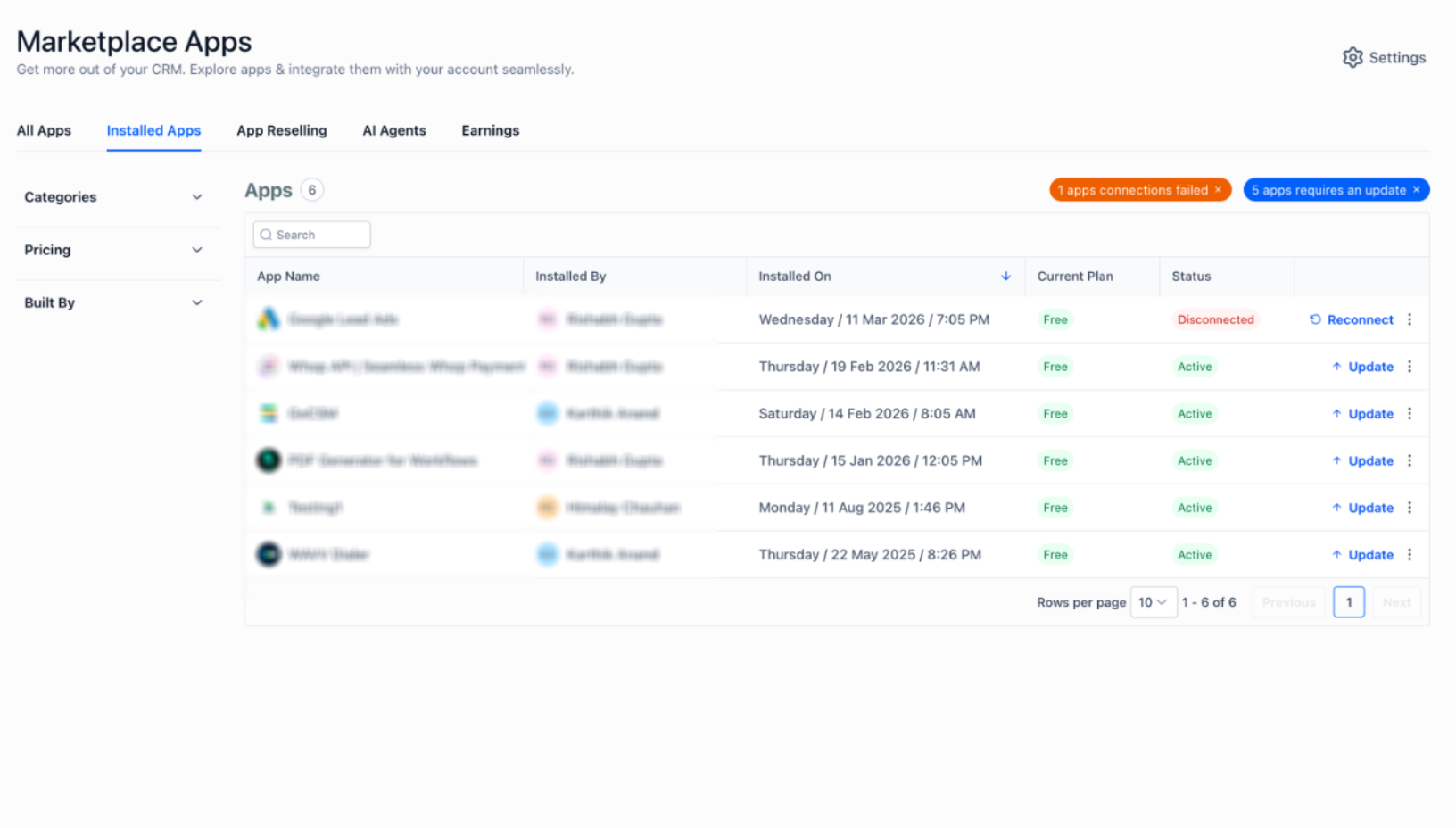
At the your account level, the experience is now more actionable and streamlined.
You can:

  • View all installed apps with their status
  • Quickly filter apps by: Updates available / Connection issues / Payment failures
  • Take direct actions (fix, update, manage) without extra navigation
    Preview:


Why This Matters

  • Better visibility across platform-level and your account app usage
  • Faster troubleshooting with smart filters and quick actions
  • Improved efficiency for managing multiple apps

Was this article helpful?

That’s Great!

Thank you for your feedback

Sorry! We couldn't be helpful

Thank you for your feedback

Let us know how can we improve this article!

Select at least one of the reasons
CAPTCHA verification is required.

Feedback sent

We appreciate your effort and will try to fix the article